back <----  ---- > Fwd


  Contents

 
Getting Started
  Tutorials
  Online Manual
  FAQs
  How To
  Tech Support
  Deluxe Forms
 
  Home


   hummpf...


Tutorial Viewlets

|Tutorials | How To | What is a Viewlet |Online Manual


Available Tutorials:

**The tutorials are best used with your speakers turned on with the volume turned up**

Tutorial Online File
(Click to Play)
Download
(Click to begin download)

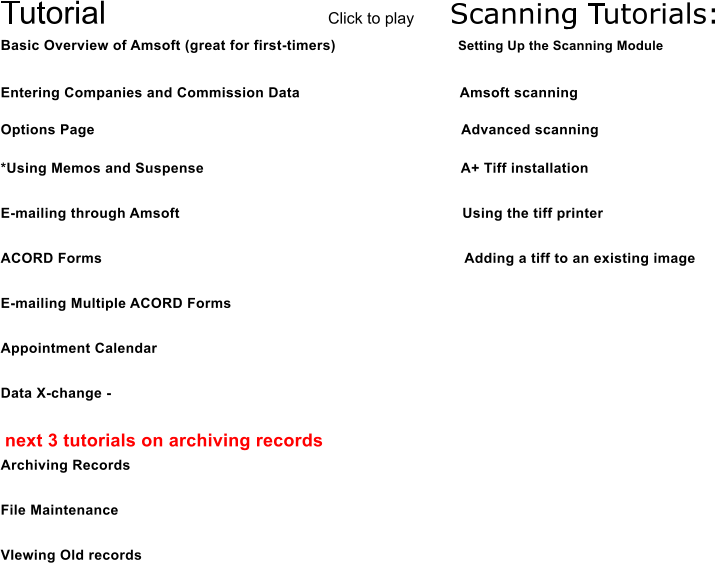
Basic Overview of Amsoft (great for first-timers)
Using Memos and Suspense
E-mailing through Amsoft
Merging and e-mailing multiple forms
Entering Companies and Commission %
Diary Section
Options Page
Scanning in Amsoft  
Scanner Setup    
Scan Manager - Viewing and Manipulating Images  
Using the TIFF driver with Amsoft Scanning


You may need to download a Flash Player to view the tutorials correctly. Click below to go to Macromedia to download a free player.

Install Flash


How to Use Viewlets:

First, the difference between playing the online file and Downloading the Viewlet . By selecting to play the online file, you are simply linking to the viewlet which resides on our website. Anytime you wish to play the viewlet, it will load in your browser, and once it has loaded, the viewlet will play. Because it will be loading over the internet, the amount of time you will have to wait for it to play will depend on your internet connection speed. If you choose to download and save the file, you can run the viewlet anytime you like directly from your computer. This will save a lot of loading time, and is the best choice if you plan on viewing a tutorial multiple times.

Once you have opened the Viewlet, it will load and then play like a movie. If you have speakers, make sure they are on, as the Viewlets include sound (but don't worry if you don't have speakers - they aren't crucial). If you need to pause the Viewlet, or rewing or fastforward, just use the control buttons shown at the bottom of the viewlet;


What is A Viewlet:

A Viewlet is a Flash-based tutorial movie. We used screens from Amsoft, added notes on the screen, as well as audio in order to create comprehensive help tutorials. Each Viewlet covers a different area of Amsoft. Some will cover basics, and others will go into more detail. We hope these tutorials will prove to be an excellent training tool for your agency, and also that they will help your agency to use Amsoft to its greatest advantage.

  Amsoft News
  Products/Pricing
  Help & Info
  Working Demo
  Marketplace
  About Amsoft
  Registered Users
  Idea Fair

Thank you for visiting us!