<TODO> Insert description text here... And don't forget to add keyword for this topic
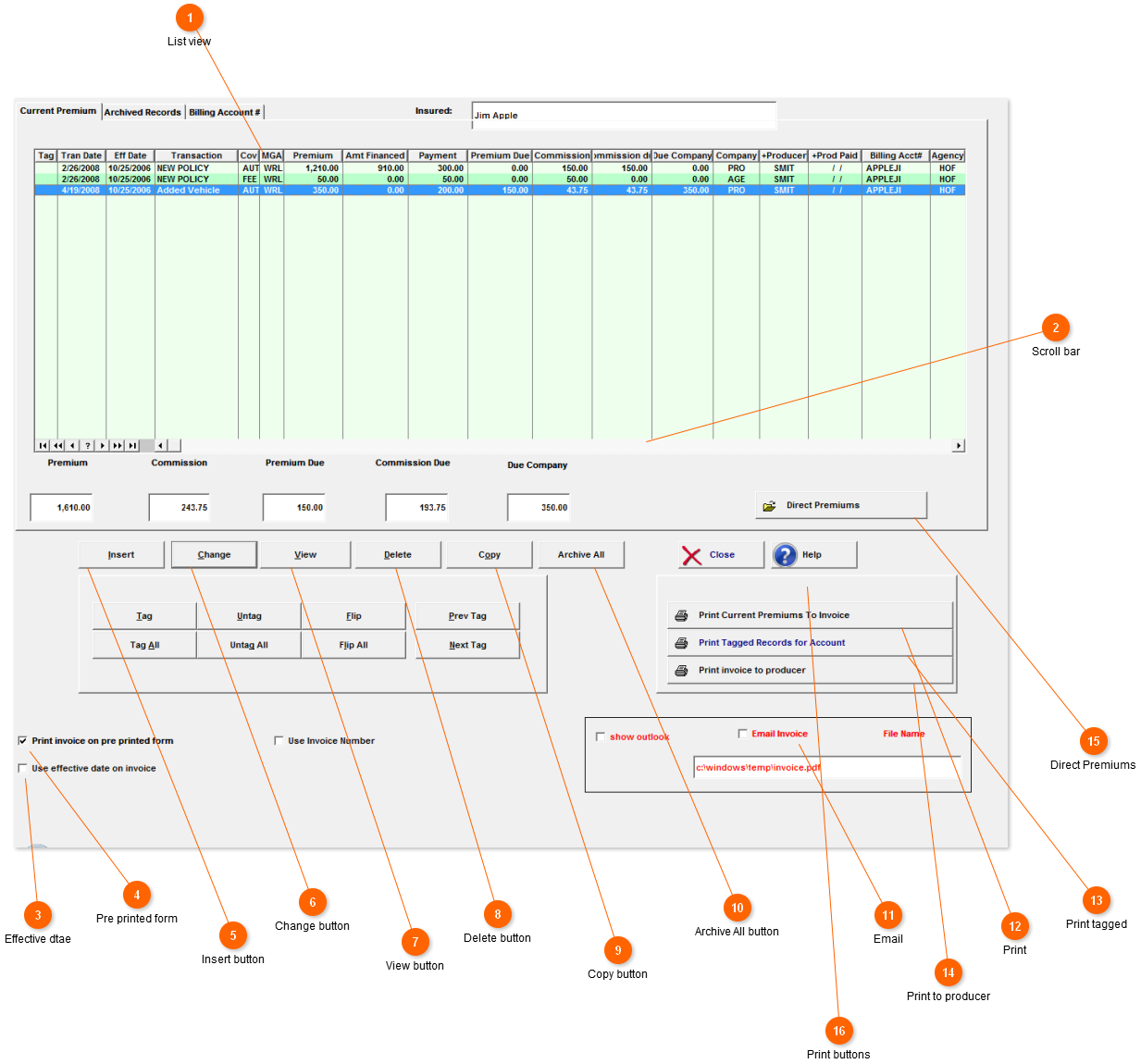
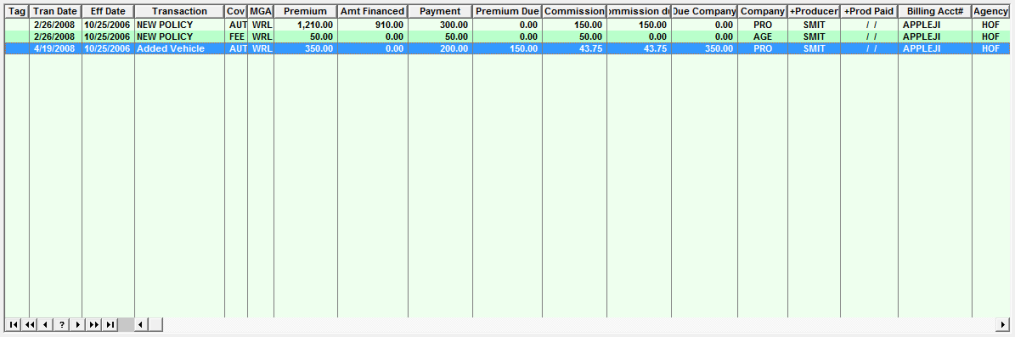
 List view
Show all current records for this policy.
|
|
 Scroll bar
Will allow you to scroll sideways to see more fields.
|
|
 Effective dtae
This indicates if Amsoft should use the effective date or transaction date. This can be set as a default in the options menu.
|
|
 Pre printed form
Indicates if Amsoft is to print on plain paper or a pre-printed form. To see a list of pre-printed forms. go there
|
|
 Insert button
Added new premium record.
|
|
 Change button
Change the highlighted premium record.
|
|
 View button
allows you View all the policy information but not change it.
|
|
 Delete button
Remove highlighted premium record.
|
|
 Copy button
<TODO> Insert description text here... And don't forget to add keyword for this topic
|
|
 Archive All button
This moves all records to the archive tab. You would use this when renewing a policy.
|
|
 Email
Clicking here will allow you to email the invoice when you choose to print it.
|
|
 Print
This will print all current records to a invoice.
|
|
 Print tagged
This will print only the records you tag to the invoice.
|
|
 Print to producer
This will print a invoice to the producer.
|
|
 Direct Premiums
This will take you to the direct premium screen. This is where you will enter premiums you collected for the company or finance company.
|
|
 Print buttons
Different buttons will show up here depending on which tab you are on.
|
|